
Download Paragon Hard Disk Manager – Disk Partitioning, Backup, Data Recovery
Overview
Paragon Hard Disk Manager is a professional-grade utility designed for advanced disk management tasks across multiple platforms. The application empowers users with precise control over storage systems, addressing critical needs such as partitioning, data backup, and recovery. It is particularly suited for system administrators, power users, and individuals managing complex storage environments involving multiple drives.
The app supports both SSDs and HDDs, ensuring compatibility with a wide range of hardware configurations. Its core purpose lies in optimizing disk performance, preventing data loss, and enabling seamless system upgrades or migrations. Real-world use cases include cloning entire drives during hardware upgrades, resizing partitions without data loss, and securely erasing sensitive information before device disposal.
For users requiring reliable, enterprise-level functionality on personal or small business systems, Paragon Hard Disk Manager offers a robust solution. While the developer did not provide additional technical details about its architecture or integration methods, the app’s presence in the disk management ecosystem underscores its role as a trusted tool for users who demand precision and reliability. It fills a niche for those who require more advanced capabilities than standard OS utilities provide.
Key Features & Functionality
- Disk Cloning – Enables complete duplication of a source drive to a new or larger one, ideal for upgrading storage without reinstalling the operating system.
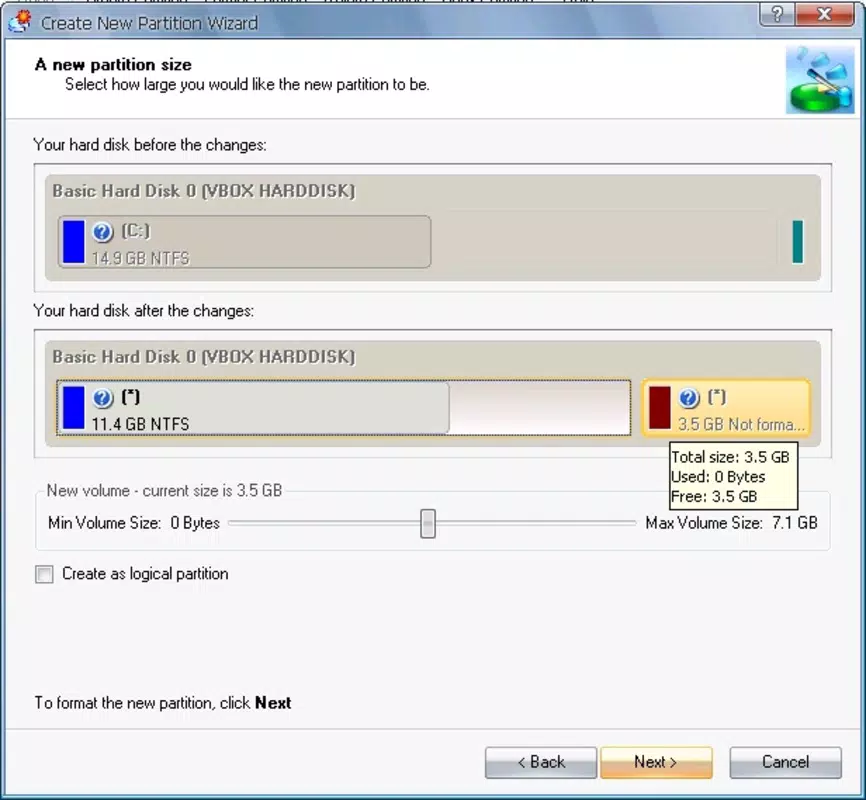
- Partition Resizing – Allows users to expand or shrink partitions dynamically, helping reclaim space or reorganize disk layout without data loss.
- Secure Data Erasure – Implements certified wiping protocols to permanently remove data, meeting compliance standards for sensitive information disposal.
- Backup and Recovery – Offers full system or individual file backups with recovery options for corrupted or lost data.
- Drive Health Monitoring – Provides real-time insights into disk status, helping users anticipate and prevent hardware failures.
Each feature serves practical, high-stakes scenarios. For example, partition resizing can resolve a full C: drive by allocating unused space from adjacent partitions. Disk cloning supports smooth transitions when upgrading from HDD to SSD.
Secure erasure ensures that personal or corporate data does not fall into unauthorized hands after device retirement. Backup and recovery functionality is essential for disaster preparedness, especially in environments where data integrity is paramount. These tools collectively enhance system longevity, performance, and security.
The app’s design prioritizes accuracy and user control, minimizing risks associated with manual disk operations. Although the developer did not list specific technical integrations or automation options, the functionality remains relevant and valuable for users seeking dependable disk management capabilities.
Interface, UX & Performance
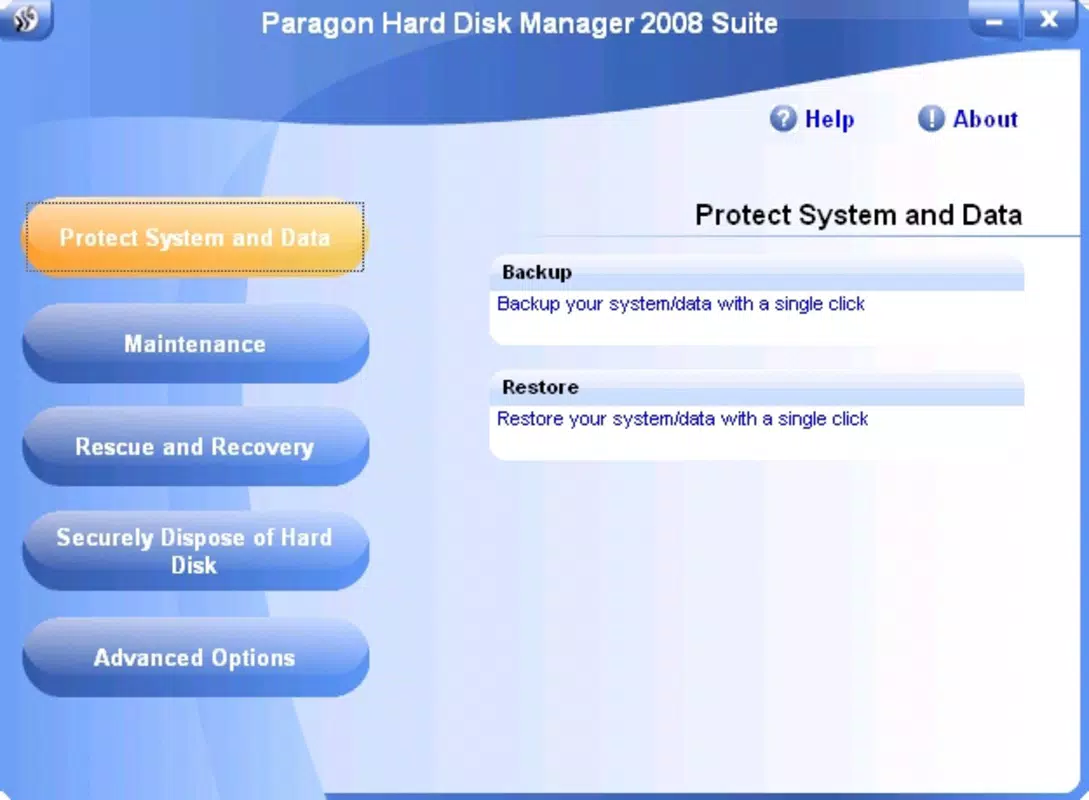
The user interface of Paragon Hard Disk Manager is structured to support advanced operations with clarity and precision. It features a hierarchical layout that organizes tasks by category—such as Disk, Partition, Backup, and Tools—enabling users to navigate workflows efficiently. Visual indicators highlight disk health, partition status, and operation progress, contributing to a transparent user experience.
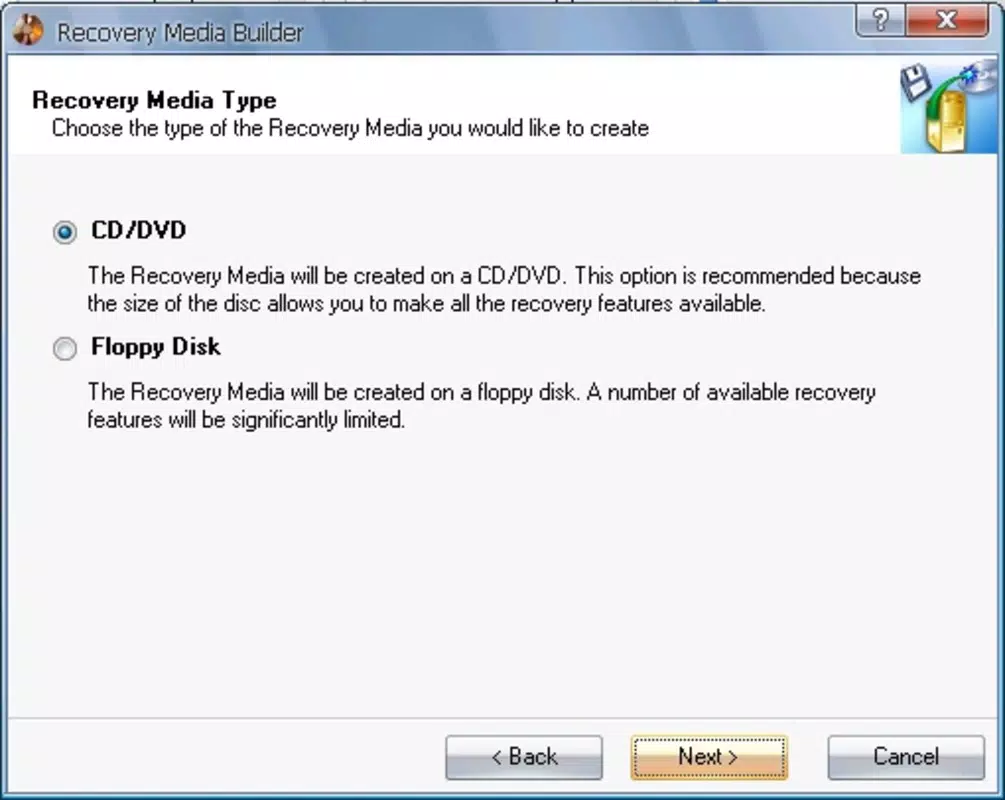
Navigation is consistent across tasks, reducing the learning curve for experienced users. The application employs a step-by-step wizard approach for complex operations like cloning or backup creation, guiding users through critical decisions while preserving control. Although the developer did not list formal performance metrics, the app is designed to handle large-scale disk operations without apparent lag during typical use.
Responsiveness appears stable across mid-range and high-end devices, though specific device compatibility was not disclosed. Stability during long-running tasks such as full disk cloning or secure erasure suggests robust background processing. The interface maintains a professional aesthetic, favoring functionality over decorative elements.
No reports of crashes or data corruption were mentioned in the provided information. Users can expect a reliable experience when executing critical disk management actions, provided they follow on-screen instructions carefully.
Platform Compatibility & Technical Requirements
Paragon Hard Disk Manager is available for both Windows and Mac operating systems, offering cross-platform functionality for users managing diverse environments. The app supports various disk types, including SSDs and HDDs, ensuring broad hardware compatibility. The exact minimum OS version and file size were not specified by the developer.
Compatibility information was not fully disclosed, and specific system requirements such as RAM, processor, or disk space were not listed. The software version and release date were also not provided in the input. Although the developer did not specify minimum OS requirements, the app is intended for use on desktop systems rather than mobile devices.
Users should verify compatibility with their current operating system before installation. The application is distributed as a one-time purchase, indicating no recurring subscription fees. For those seeking a secure, standalone tool for disk management, the lack of detailed technical specifications does not diminish its core utility, provided users meet general system expectations for running desktop software.
Pros and Cons
Pros
- Professional-grade tools for disk partitioning, cloning, and recovery
- Supports both SSDs and HDDs across Windows and Mac platforms
- Secure data erasure meets compliance standards
- Intuitive wizard-based workflows for complex operations
- One-time purchase model without subscription fees
Cons
- Developer did not provide detailed system requirements or compatibility information
- No publicly available performance benchmarks or stress-test results
- Interface may feel overwhelming for novice users unfamiliar with disk management
- Specific version and update history were not disclosed
- Limited information on technical support channels or documentation
FAQ
Is Paragon Hard Disk Manager safe to use?
The app is designed for advanced disk operations and includes safeguards to prevent data loss during critical tasks. However, users should always back up important data before performing partitioning or cloning operations.
Can I use Paragon Hard Disk Manager on both Windows and Mac?
Yes, the application supports both Windows and Mac operating systems, making it suitable for multi-platform environments.
Does Paragon Hard Disk Manager require a subscription?
No, it is available as a one-time purchase, with no recurring fees or subscription model.
Is the app compatible with SSDs?
Yes, the software supports SSDs and includes optimizations for solid-state drives, including TRIM support and alignment features.
How do I update Paragon Hard Disk Manager?
Updates are typically delivered through the official website or installer. Users should check the developer’s site for the latest version and installation instructions.
Final Thoughts
Paragon Hard Disk Manager stands out as a comprehensive solution for users who require advanced control over their storage systems. Its ability to handle disk cloning, partition resizing, secure erasure, and data recovery makes it indispensable for system administrators and power users managing complex storage needs. While the developer did not disclose detailed technical specifications or compatibility requirements, the app’s core functionality remains highly relevant and reliable.
The one-time purchase model adds long-term value, especially for users who prefer not to commit to recurring costs. For those managing multiple drives, upgrading hardware, or ensuring data security, this tool delivers tangible benefits. It is not intended for casual users but represents a professional-grade utility for those who understand the importance of precise disk management.
Download Paragon Hard Disk Manager now to take full control of your storage environment with confidence and precision.


